Songbook for the gig
Lyrics and chordson the stand.
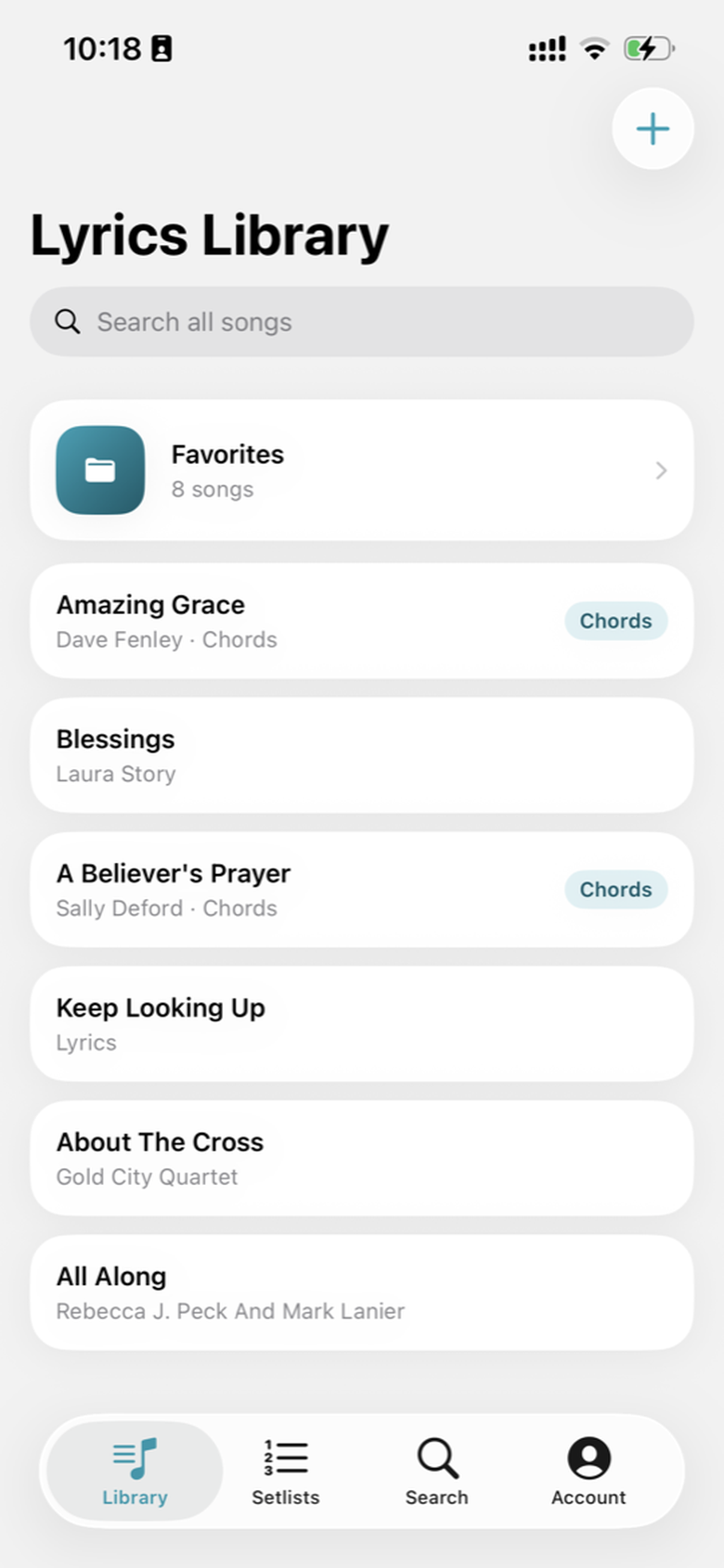
Library · Amazing Grace, saved with chords
Search a song, tap chords onto the words, and walk on with tonight’s setlist. Free on iPhone, iPad, and Android.
Not a notes app
A library built for the night you have to play.
Notes and Keep will hold a lyric. They will not keep chords on the syllable, transpose without reprinting, or hand you tonight’s order when you walk on.
Lyrics Library is a personal songbook: search, chart, folders, setlist, and stage — then the same library on the next phone or tablet.
01 — Find
Search the line you remember.
Look up a title, an artist, or a scrap of lyric. Save the chart to your library in one tap — before rehearsal starts.
Tonight’s query
“how sweet the sound”
→ Amazing Grace · saved with chords
- 1Search a song, artist, or a line
- 2Open the lyric
- 3Keep it in the library
02 — Prepare
Chords sit on the words.
Place a G over Amazing. Change key. The lyric does not move — and you do not reprint the page.
- Tap to place
- Chord names live above the syllable, the way a chart on a stand does.
- Transpose or capo
- Same song. New key. The shape of the lyric stays put.
As written
Amazing Grace
GAmazing G7grace, how Csweet the Gsound
That Asaved a Dwretch like Gme
GI once was lost, but Cnow I'm Gfound
Was Ablind, but Dnow I Gsee
Capo 0 · 4/4 · verse
Transposed +2 · sounds in A
Amazing Grace
AAmazing A7grace, how Dsweet the Asound
That Bsaved a Ewretch like Ame
AI once was lost, but Dnow I'm Afound
Was Bblind, but Enow I Asee
Capo 0 · 4/4 · verse
Amazing Grace is public domain — the same title sitting in the library on the phone above. In the app, you tap the chord onto the word, then transpose for the singer in the room.
03 — Rehearse
Read it like a stand, not a thread.
Large type, chords already placed, screen awake. Run the song with your hands on the instrument — not pinching a notes app mid-verse.
GAmazing G7grace, how Csweet the Gsound
That Asaved a Dwretch like Gme
- Keep awake
- The screen stays on through the song.
- Auto-scroll
- The next line comes to you when your hands are busy.
04 — Folders
File the catalog. Leave drafts off the stand.
A folder is where a song lives. Nest another inside it when the library grows. Worship, originals, and sketches do not have to share one scrolling pile.
- Nested folders
- Make a folder, drop songs in, nest another. Move a chart when it is ready.
- Then the night
- Pull from any folder into asetlist. The catalog stays put.
Library
Folders
- Worship2
- Amazing Grace
- A Believer’s Prayer
- Acoustic2
- Blessings
- Keep Looking Up
- DraftsEmpty
Off the stand until the chart is ready
05 — Setlist
Tonight, in order.
Pull songs from any folder. The setlist is the night — walk on without hunting the catalog between songs.
Friday rehearsal
4 songs
- 01Amazing GraceG · chords
- 02Blessingslyrics
- 03A Believer’s Prayerchords
- 04Keep Looking Uplyrics
06 — Stage
Look at the room.
Performance view keeps the chart large, the screen on, and the next line coming. You should be watching the people, not hunting the verse.
Amazing Grace · G · auto-scroll
GAmazing G7grace, how Csweet the Gsound
That Asaved a Dwretch like Gme
GI once was lost, but Cnow I'm Gfound
Was Ablind, but Dnow I Gsee
Optional — Bands
The same song on every stand.
For worship teams, gig bands, and rehearsal crews. Share one library and tonight’s setlists. Personal Lyrics Library stays free.
- Free band
- Up to three members. Shared songs and setlists.
- Paid plan
- Bought by the band owner. Unlimited members, and live follow — when the leader moves on, the rest of the stand follows.
Open Account → Bands in the app. Invite with a link likelyricslibrary.app/join/CODE.
Now playing
Live follow
Amazing Grace
- LeaderOn the song
- YouFollowing
- KeysFollowing
If the plan ends, the band turns read-only. Charts stay there to read and export.
Every device
One account. The same songbook.
Sign in with Apple or Google. Songs, folders, and setlists stay on your account and follow you. Start as a guest if you want — link an account when the library matters.
iPhone
In the pocket, on the stand
iPad
The chart, large enough to share a glance
Android
Same library, same sign-in
Playing with a group?Bandsis the optional shared library. Personal use stays free.
Before you download
Free for the work.
Personal use is free forever. No ads. Tips and the monthly supporter plan do not unlock features.
More detail in theFAQ,Privacy Policy, andTerms.
Do I need an account?
You can start anonymously. Sign in with Apple or Google when you want your library backed up and available on other devices.
Do my lyrics sync across devices?
Yes. Sign in with Apple or Google and your songs, folders, and setlists stay on your account. Open the app on another device with the same sign-in and the same library is there.
Is Lyrics Library free?
Yes. Personal use is free forever — there are no ads and no paid unlocks for your own library, chords, setlists, or stage view. Tips and the monthly supporter plan are optional thank-yous. Bands is an optional add-on if you want a shared library with your group.
What are folders?
Folders are the long-term catalog. File songs — nested if you need to — so drafts stay off the stand. A setlist is still tonight, and it can pull songs from any folder.
What is Bands?
An optional add-on for worship teams, gig bands, and rehearsal crews. Share a song library and setlists. Free bands include up to three members. The paid plan, bought by the band owner, unlocks unlimited members and live follow — when the leader moves to the next song, everyone else follows.
Guides
Charts, setlists, and stage.
How to import ChordPro lyrics into your song library
Bring an existing ChordPro chart into Lyrics Library, keep chords on the right words, and make it ready for transpose, capo, and stage view.
Notes app vs a lyrics app for gigs
Why Apple Notes and Google Keep fall apart on stage — and what a lyrics and chord chart app keeps lined up.
Folders vs setlists: how to organize your songbook
Use folders for your long-term catalog and setlists for the night, so drafts, favorites, and stage songs do not get mixed together.
Get Lyrics Library
Take the chart to the gig.
Free on the App Store and Google Play. iPhone, iPad, and Android.
Questions:Facebook